When I started out, I had a camera, a lot of enthusiasm and absolutely no idea what a CRM was. I’ve learned most of this the hard way: by getting it wrong, googling at midnight, and asking kinder, cleverer business friends.

So this is the post I wish someone had handed me: the tools I actually use every week, with some honest dos and don’ts. Over the coming weeks I’ll dig into each tool in its own post, all collected in my Business Basics series, so bookmark this one. It’ll keep growing.
Looking for the less glamorous side of things, like tax, insurance and the ICO? That’s all in The Money and Legal Bits Nobody Tells You.
Some links in this post are affiliate or referral links, which means I may earn a small reward at no extra cost to you. I only recommend tools I actually use and love.
Part 2: The tools I use all the time
MailerLite – my email list [Deep dive coming soon] If I could only give one piece of advice, it would be to start your email list now, even if it’s tiny. Social media algorithms change on a whim, but your list belongs to you. I love MailerLite because it’s genuinely user-friendly, so you don’t need to be techy to send something that looks lovely. My free guides are how most people join: my checklist for personality-packed photos and my brand new Business Basics pocket guide, which pairs perfectly with this post. Do: Use a proper email address on your own domain. Most email platforms won’t let you send from a Gmail address anyway. Don’t: Add people to your list just because they gave you a business card. (The email rules are in the money and legal post.)
Google Business Profile – free local visibility [Deep dive coming soon] Formerly Google My Business. This is how people find you when they search “brand photographer near me,” and it’s completely free. Do: Add photos regularly and reply to every review. Don’t: Set it up once and forget it. (Guilty! Mine’s getting a refresh as we speak.)
Stripe – getting paid easily [Deep dive coming soon] I’ve found Stripe has the lowest fees for the way I work, and it was easy to set up and connect to my other tools. Clients can pay quickly and I don’t have to chase. Do: Take deposits to secure bookings. It protects your time.
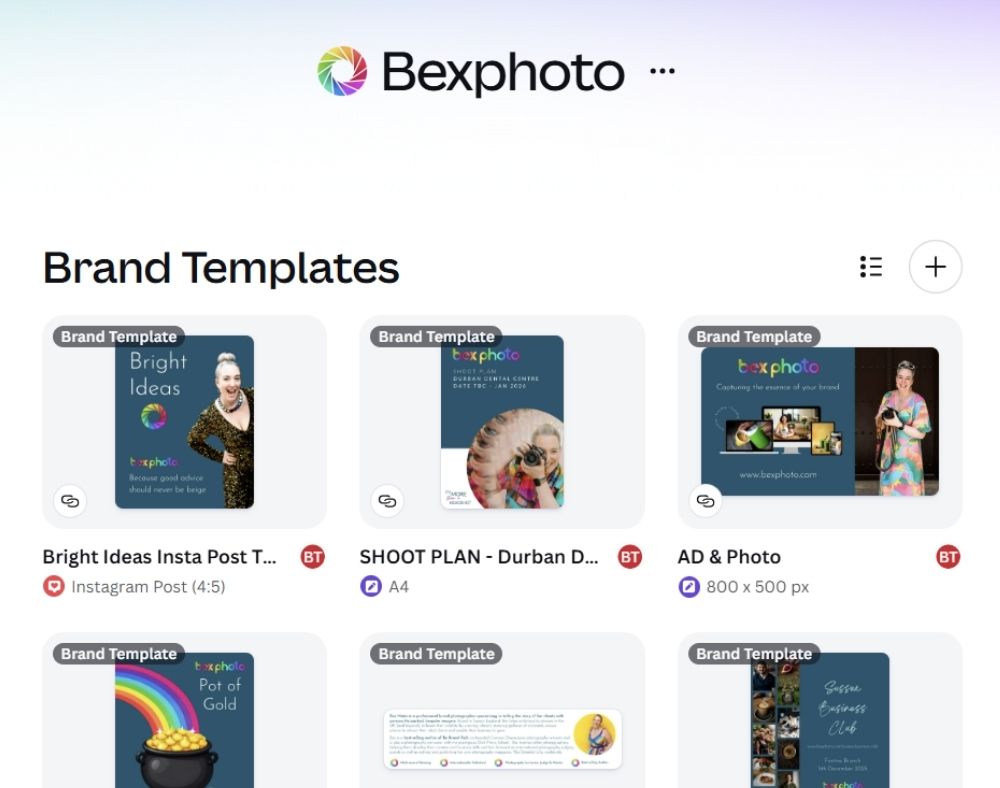
Canva – designing without a designer [Deep dive coming soon] I designed every issue of my print magazine, This Detailed Life, in Canva, so I can promise it’s more powerful than it looks! These days I use it for social posts, blog images, collages, Reels, client showreels, client graphics and all my own branding bits. I even offer my clients Canva tutorials, so they can confidently create their own graphics with their new photos! Do: Set up your brand colours and fonts first so everything looks consistent. Don’t: Use the same popular template everyone else is using without changing it.
Google Calendar and Google Drive – my brain, externalised [Deep dive coming soon] Time blocking changed how I work. I plan my week on a Saturday evening (so rock & roll!), which leaves Sunday free and Monday starts with a plan. My calendar links to Studio Ninja, so clients can book calls straight in my free slots, and to my Skylight for the family juggling. Google Drive is where I drop content ideas so nothing gets lost and it’s great for sharing files when you start out. I’ve invested in Pixieset for galleries now. Do: Pick a folder structure and stick to it.
Mettle and FreeAgent – banking and bookkeeping Mettle is my business bank account, and it comes with FreeAgent bookkeeping software for free. I’ve covered both, including the small print, in The Money and Legal Bits Nobody Tells You.
Studio Ninja – my CRM [Deep dive coming soon] A CRM (customer relationship manager) keeps all your enquiries, contracts, invoices and emails in one place. Mine’s built for photographers, but every business benefits from one sooner than you’d think. Fancy trying it? Use my referral code AWRR6J2631MU4M when you sign up. Do: Save your repeated emails as templates. It’s a game-changer.
Backups and 2FA – the unglamorous heroes Turn on two-factor authentication for everything, especially email and Instagram. For backups, I use multiple hard drives plus cloud storage, because files will fail at the worst possible moment.
Claude – AI, with boundaries [Deep dive coming soon] I’ll be honest, I have mixed feelings about AI. But lots of business owners are using it, and I didn’t want to be left behind. For me it’s like a very patient business buddy. It keeps me accountable and on track, helps me time block my week, and is brilliant for bouncing ideas around, refining them, collating them and, my favourite, unscrambling my ramblings! There are lines I won’t cross: [e.g. it never edits my photos, and nothing goes out without being rewritten in my own voice]. I’ll share more about exactly how I use it, and why, in its own post.
Plus: for my fellow photographers
- Studio Ninja – a photographer-specific CRM (see above for a discount code).
- Pixieset – how I deliver client galleries. It looks beautiful and professional, it’s easy for clients to use, and it doubles as extra storage for my backups.
Over to you
Which tool would you like me to dig into first? And what’s the one tool you couldn’t run your business without? Let me know in the comments.
Want new Business Basics posts in your inbox? Join the Iridescent Insiders and I’ll share the latest in my monthly email. And if you’re a new business owner who’s ready to get your face out there, let’s have a natter. 🌈